- Download and install. Run the installer you downloaded. The beta is not code-signed yet, so
Windows may show "Windows protected your PC" - click More info → Run anyway.
Download for WindowsWindows 10 or 11, 64-bit · needs a beta key to connect · the download takes a minute or twoWhat's new: The import now reads how each passive's cooldown starts and which skill a champion counterattacks with (Clan Boss Sim accuracy). Your next import after updating takes a few minutes longer once.
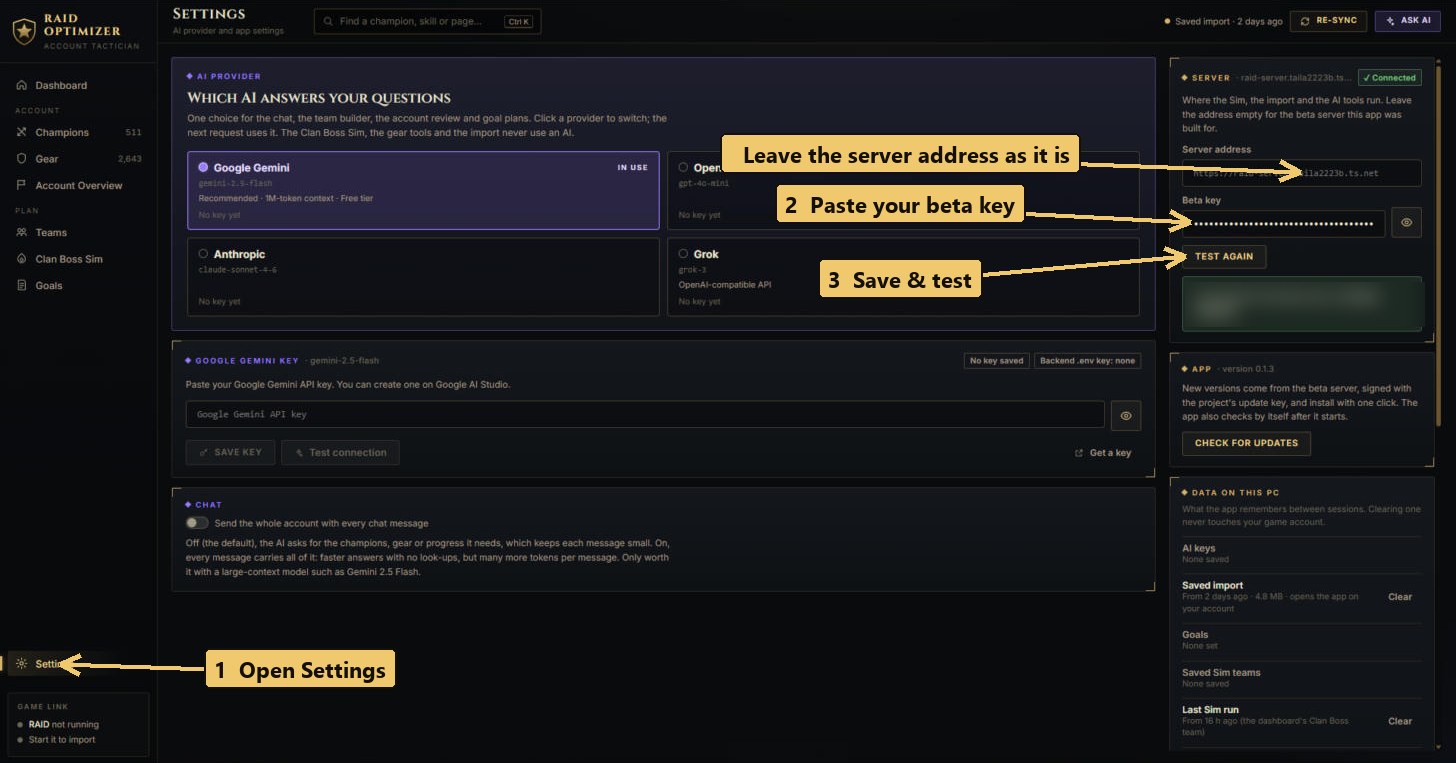
- Enter your beta key. Open Settings (bottom left), paste the key you were given into
Beta key on the right and click Save & test. It answers "Connected to the beta server as …".
Leave the server address as it is.
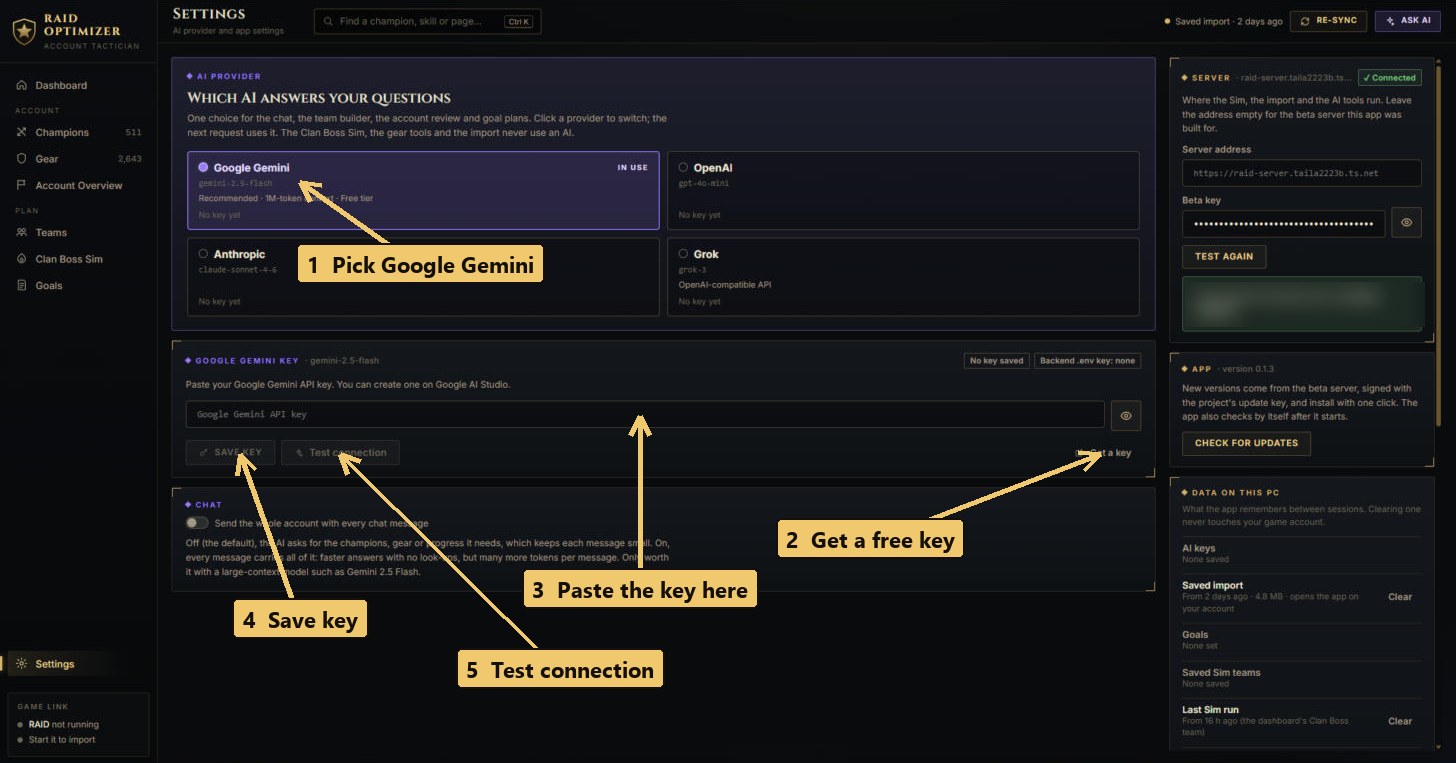
- Optional: get a free Google Gemini key for the AI. The AI chat, team builder, account review
and goal plans need a key from an AI provider; Google Gemini has a free tier.
- Open Google AI Studio → API keys and sign in with any Google account.
- Click Create API key. If it asks for a project, let it create a new one.
- Copy the key (it starts with
AIza). Keep it private - anyone with it can use your quota.
 Note Google's page and its free limits can change; checked October 2026. OpenAI, Anthropic and Grok keys work too, but are paid.
 - Import your account. Start RAID, log in and wait for the village screen, then click
Import from RAID at the top of the app. The first import takes a few minutes; later ones are quicker.
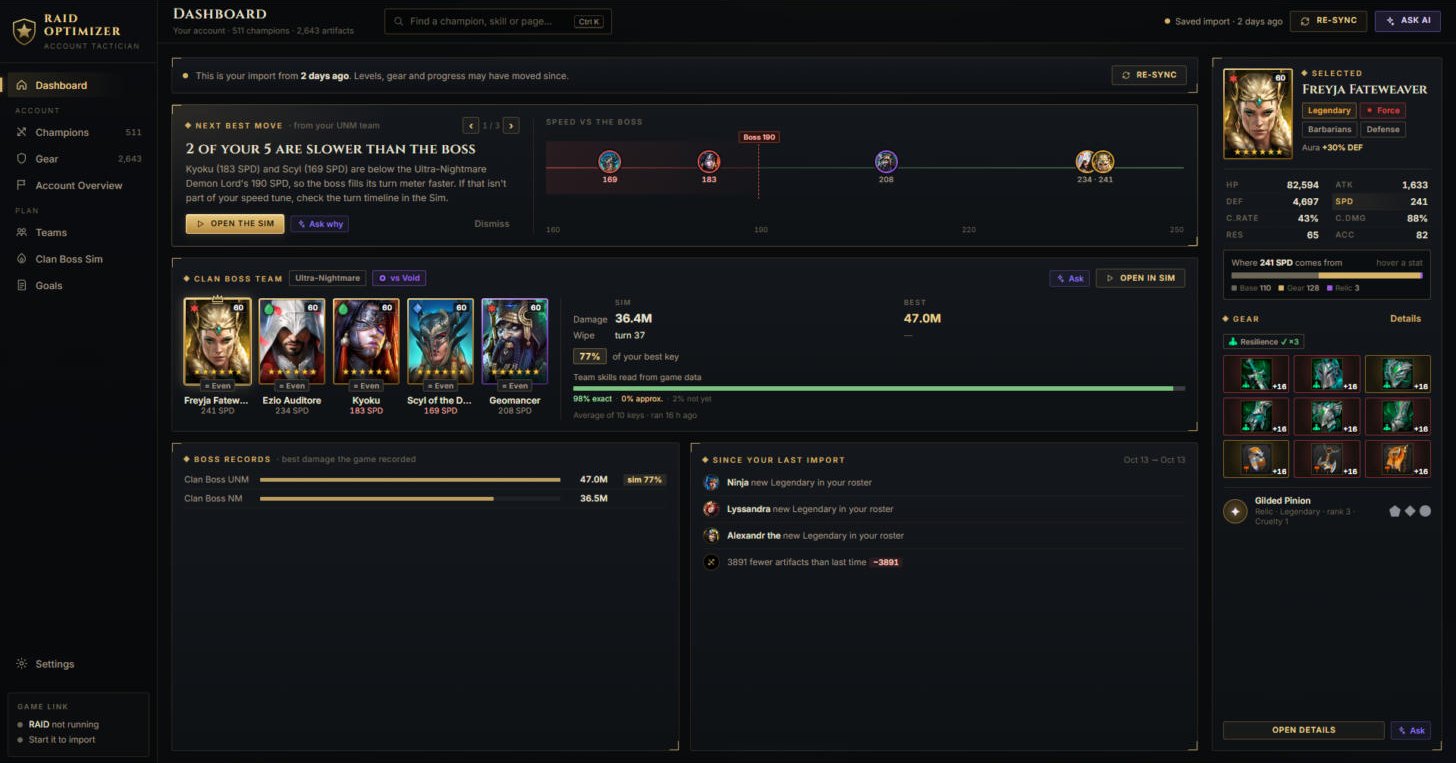
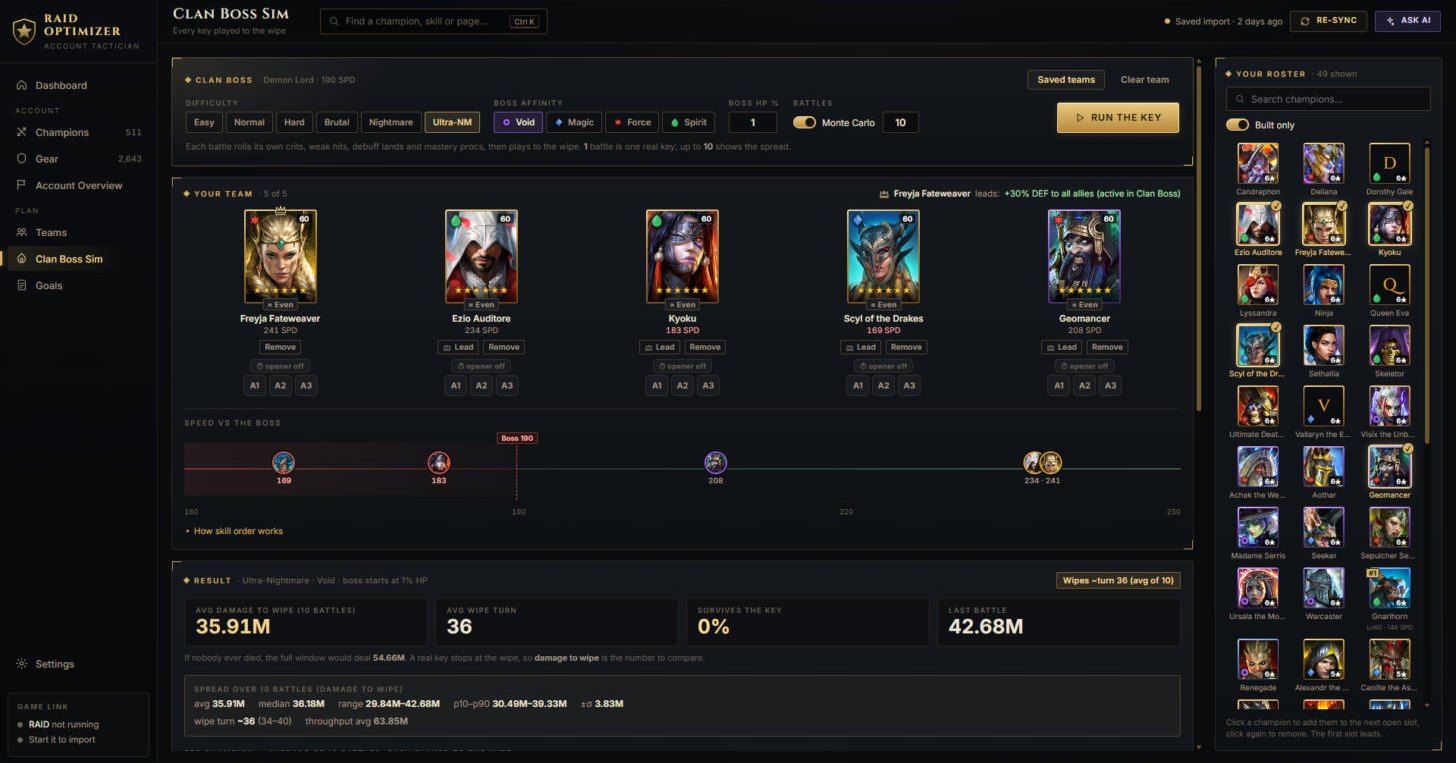
- Try the Clan Boss Sim. Open Clan Boss Sim, pick five champions from your roster
(the first slot leads), choose the difficulty and the boss's affinity, and click Run the key.
After that the app keeps itself up to date: when a new version is out it shows "Version … is ready - Update & restart". Next: how each screen works.